


Description
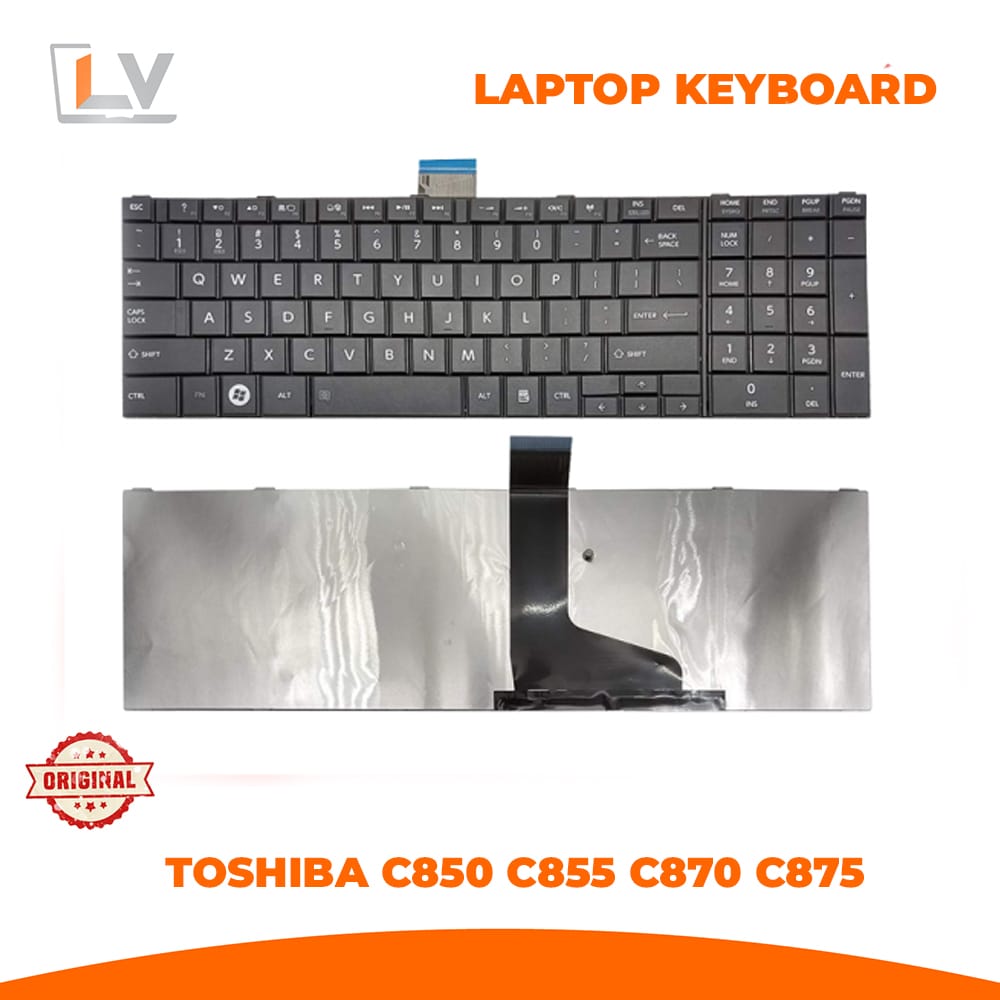
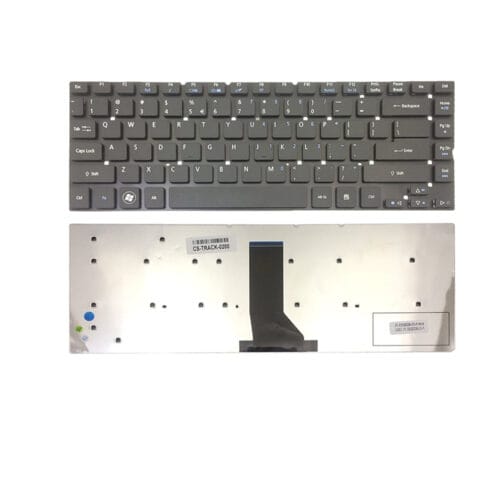
Upgrade or replace your Toshiba Satellite laptop’s worn-out or malfunctioning keyboard with this original Toshiba C850 Series internal replacement keyboard. Specifically engineered for the Toshiba C850, C850D, C855, C870, C875, S850, S855, S870, and S875 models, this keyboard provides a smooth, responsive typing experience that brings your laptop back to full functionality. Designed to fit perfectly and perform reliably, this replacement keyboard ensures comfortable typing for daily computing, office work, study, and internet browsing. S English QWERTY layout, this keyboard is ideal for users who want to restore their laptop’s original typing comfort. Whether you’re replacing a damaged unit due to spills, worn-out keys, or physical impacts, this replacement delivers excellent performance and durability.
Wide Compatibility: Designed specifically for multiple Toshiba Satellite models — C850, C850D, C855, C870, C875, S850, S855, S870, and S875 — ensuring a perfect match with your device.Standard US English Layout: Familiar QWERTY keyboard format makes typing natural and intuitive for everyday tasks.Brand New & Authentic: Brand-new replacement part sourced and tested for reliable performance and long-lasting use.x Durable & Responsive: Keys provide smooth, consistent feedback, improving typing efficiency and reducing fatiguexEasy Installation: Designed as a direct internal keyboard replacement — easy to install with standard connectors and placementEveryday Usability: Great for writing documents, emails, coding, browsing, and general productivityxDetailed Product Description
The Toshiba C850 Laptop Keyboard is a high-quality internal replacement part that restores your laptop’s keyboard performance to like-new condition. Over time, keyboards can degrade from heavy use, spills, or broken keys — making it difficult to type efficiently or even rendering some keys completely unresponsive. With this genuine replacement keyboard, you’ll enjoy crisp and accurate typing, improving your productivity and overall computing experience.
Featuring a standard US English layout, this keyboard provides smooth and familiar key placement for users of all skill levels. The durable construction and responsive key feedback ensure a comfortable typing experience whether you are writing emails, composing reports, browsing the internet, or working on creative projects. This keyboard integrates seamlessly with your Toshiba laptop chassis — designed to match the original shape, key layout, and connector type, ensuring easy installation and accurate fit. With a robust build quality, it is engineered to withstand everyday use while maintaining consistent performance.
Core Specifications
| Feature | Details |
|---|---|
| Brand | Toshiba |
| Compatible Models | Toshiba C850, C850D, C855, C870, C875, S850, S855, S870, S875 Series |
| Keyboard Type | Internal Laptop Replacement Keyboard |
| Layout | US English QWERTY |
| Backlit | No (Standard Non-Backlit) |
| Color | Black |
| Condition | Brand New Replacement |
| Installation | Plug-and-Play Internal Replacement |
| Warranty | 3-Month Warranty (against manufacturing defects) |
This Toshiba C850 series keyboard comes with a 3-month warranty, covering manufacturer defects and ensuring peace of mind with your purchase. Warranty coverage begins from the date of purchase — please retain your invoice or order details for any support requests or service claims.
✔ Toshiba Satellite owners with malfunctioning keyboards
✔ Students, professionals, and everyday users needing reliable typing
✔ Users restoring older laptops for continued use
✔ DIY repairers and laptop technicians
✔ Anyone seeking a smooth and responsive keyboard replacement
Toshiba C850 laptop keyboard Bangladesh, Toshiba C850D keyboard replacement, Toshiba C855 laptop keyboard original, Toshiba C870 replacement keyboard BD, Toshiba S870 keyboard, Toshiba Satellite keyboard Bangladesh, internal laptop keyboard Bangladesh.
✔ Always confirm your exact laptop model number before ordering.
✔ This keyboard features a standard US English layout — ensure this matches your typing preference.
✔ If you are unsure about installation, consult a technician or follow a laptop disassembly guide specific to your model.







Reviews
There are no reviews yet.